How To Create and Edit Custom Health Alerts
The video and instructions below show you how to create and edit custom device health alerts.
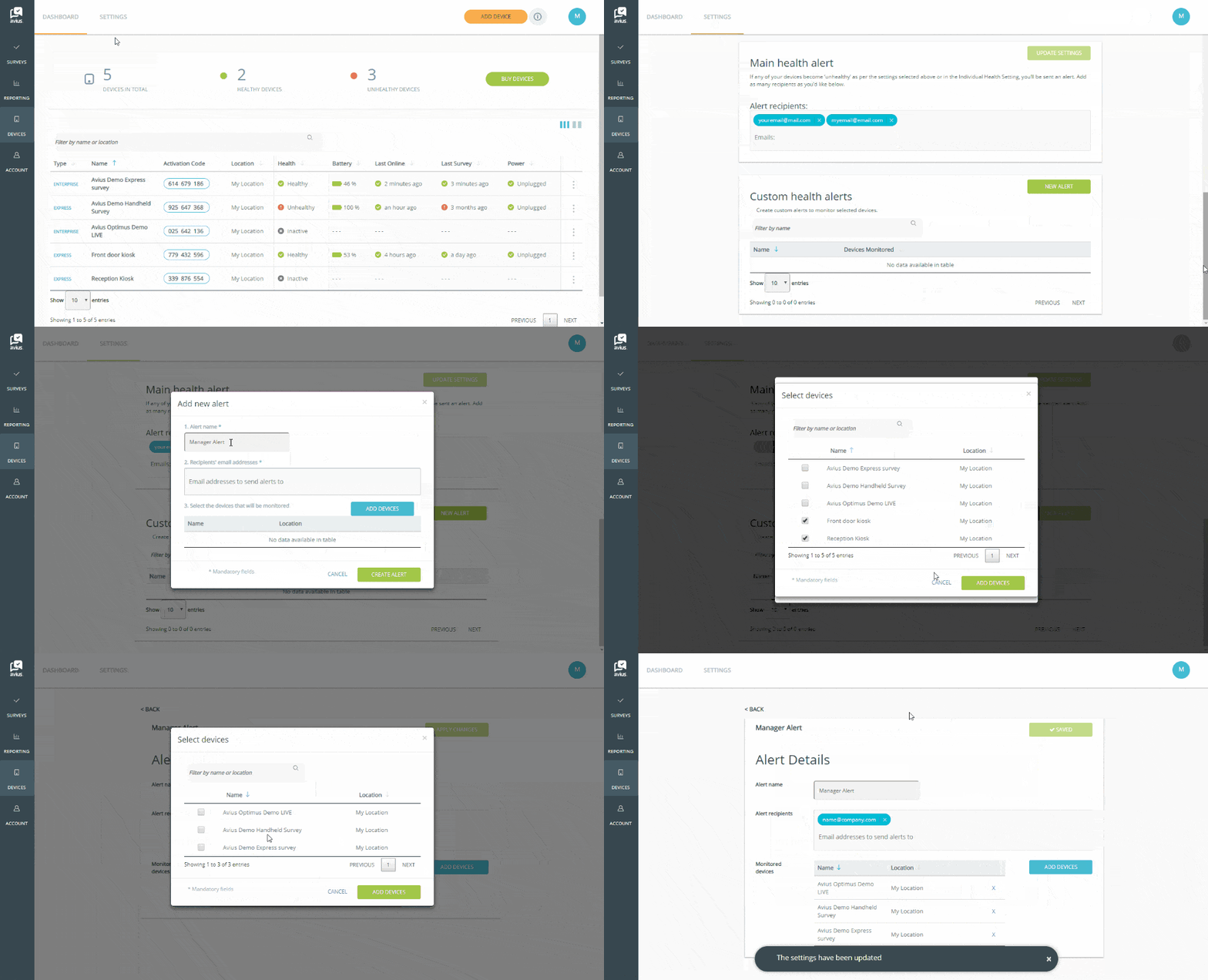
Loginto Avius Surveys and click on Device in the left-hand menu.
- Click on the Settings tab in the top menu.
- Scroll down to Custom Alerts and click on the green New Alert button.
- Give your alerts a name.
- Add the email addresses of the people who should receive the alerts, press Enter after each email.
- Click the blue Add Device button.
- Select which devices you’d like to receive alerts for by ticking the boxes.
- Click the green Add Devices button.
- If you’re happy with the details entered, click the green Create Alert button.
You will also need to select the settings to trigger the notification emails, seeSet-up Individual Device Health Settings.