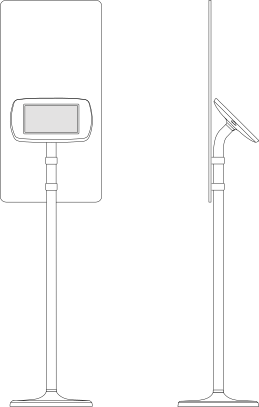
How To Set-up Your Survey Kiosks
It’s very easy to get your survey kiosks up and running, simply follow the instructions below.
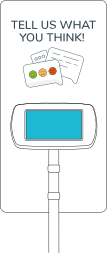
PACKAGE CONTENTS
- Survey Kiosk
- Signage Board
- Signage Board Brackets
- Base Collar Cover
- Power cable + USB charger
- Kiosk key
- Kiosk Unlock Code - found on the Quick Start Guide
Please let us know as soon as possible if anything is missing.
STEP 1
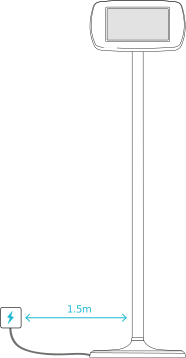
Carefully remove the Survey Kiosk from its packaging and recycle the cardboard. Place within 1.5 meters of a power socket/outlet, and in an area with high footfall such as a waiting area.
STEP 2
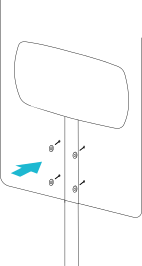
Attach the Signage Board using the 4 plastic thumb screws included.
Note - Bespoke Signage Board designs are available, the Avius team or your designers can create your own to match your brand.
STEP 3
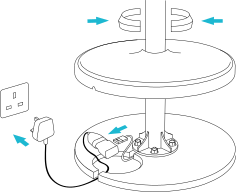
Lift the base at the bottom of the kiosk, plug the USB cable into the USB charger and the power cable into the plug socket/outlet.
STEP 4
Attach the Base Collar Cover together and then press down into the gap between the Base and the Pole.
STEP 5
Switch on the power socket/outlet. The Survey Kiosk will automatically turn on and be ready for customer use.
Your device has a 3/4G data SIM pre-installed, if you’d prefer to you canconnect it to your local WiFi. It will start uploading surveys as soon as they get completed. To view your resultsloginto your account.